TFT Unlock Tool 4.5.0.0 Free Download 2024
TFT Unlock Tools 2024 4.5.0.0 Latest Version Free Download [WINDOWS]
TFT unlock tool 4.5.0.0 has announced a new update, if you face an issue with download or auto-update then please click on the below link which gives you direct installation with a single click only and you can fix all the problems in the previous version.

TFT Unlock Tool 2024- 4.5.0.0 is a software update that includes new features and bug fixes for Qualcomm, DIAQ, Samsung, T.POINT, and Oppo devices. It allows users to read and write QCN data, enable Diag mode on Qualcomm devices, fix search models for Samsung devices, and update test point photos for T.POINT devices. Oppo users get added support for SafeFormat on specific Realme and Oppo models.
TFT unlock tool added a new sec preloader for Samsung devices, which you can erase FRP old, or 2023, and 2024 security updated devices, and fix in preloader mode force Brom, which is very helpful for all users.
TFT unlock tool is good news for spreadtrum devices now you can flash with read pac firmware or pac extract firmware which is very useful, if you need these features need to buy another tool but with this tool, you can use it free of cost.
TFT unlock tool SpreadTrum diag mode added some new features. Now, you can enter diag mode, read and write IMEI number, factory reset, reboot to normal mode, and exit diag, which is really very helpful for all users.
How to use the QR Code Samsung FRP Removed?
- First, open the TFT Unlock Tool and go to the Samsung tab > Functions
- Once you have Gone to the desired location you can see the button "[COM] ERASE FRP QR Code (Beta)"
- Now, you need to open a Samsung QR Code Scanner. Simply power on the device and select the language. In the next step, simply press the center of the screen three times and open the QR Code Scanner Camera on your Samsung device.
- Now scan the QR Code to enable Samsung ADB Mode go to the URL and open the: https://scarlet-jorie-10.tiiny.site
- Now, you will see a QR Code That you can scan, connect your mobile to WiFi, and click the next or continue button on your mobile.
- Now you can see a pop-up to enable USB Debugging on your device. Simply get the permission now back to the TFT Unlock tool and click on the "Erase FRP QR Code (Beta)"
What's new
TFT Unlock Tool 2024 - 4.5.0.0
Qualcomm
- DIAQ
- Read QCN
- Write QCN
- [ADB] Enable Diag New
- [ADB] Enable Diag old
Samsung
- Fixed Search Models Devices
- PRELOADER 2024 (Added new Devices )
T.POINT
- Updated photos Test-point For TFTUnlock
Oppo
- [QC] Added SafeFormat [Realme7i/Realme_X2Pro/Realme_C15/Realme_6PRO/Oppo A33]
How to install it?
- To start the installation process, please download the files from the link provided below.
- Once downloaded, extract the files to your desktop.
- After extracting, open the folder and run the setup to begin the installation.
- During the installation, you will be prompted to set a password, please enter "TFT" and click "Next" to proceed with the installation.
- Once completed, return to your desktop and click on the shortcut to launch the tool.
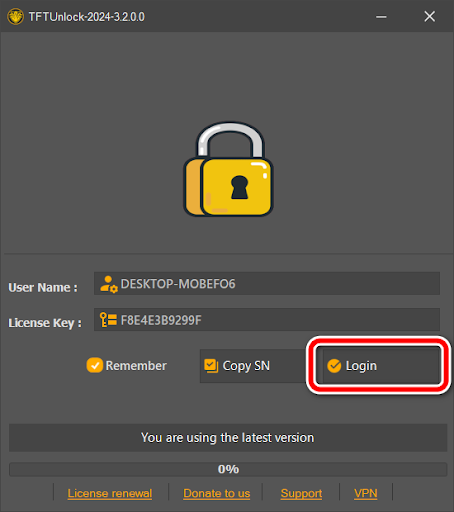
- You will be prompted to log in, simply click on the login button to proceed.
- Congratulations! You have successfully installed the setup on your computer.
- Enjoy the updates.

Download Link
- File name: TFT Unlock Tool 2024 - 4.5.0.0
- File Size: 251.66 MB
- Developer: TFT developer
- Source: Website
- Free or Paid: Free
- Download Link: TFT Unlock Tool 4.5.0.0 (Full Setup) [Latest]
- Password: TFT
Note: you can uninstall the previous version completely and install the new version otherwise you can face many errors or the tool needs to be opened on your computer.
Post a Comment